Congratulations on completing your manuscript! For independent authors, holding a freshly printed copy of their book for the first time is a magical moment. However, the journey from clicking "Publish" to holding that beautifully crafted book involves a printing process that can sometimes feel like navigating a minefield.
In the printing industry, we have encountered a wide range of issues: poor color reproduction, text getting cut off, or pages falling out after just a few uses. As your printing partner, we sincerely want your book to be a success. We have compiled a list of the five most common printing mistakes made by independent authors, along with specific ways to avoid them.
1. The Color Trap: RGB VS CMYK
- The Mistake: The cover looks vibrant and stunning on a Retina screen, but the printed physical copy appears dull or muddy.
- The Solution: Screens display colors using RGB (Red, Green, Blue) light, whereas printing presses use CMYK (Cyan, Magenta, Yellow, Black) inks. RGB has a wider color gamut, meaning certain bright colors visible on screen cannot be replicated in print.
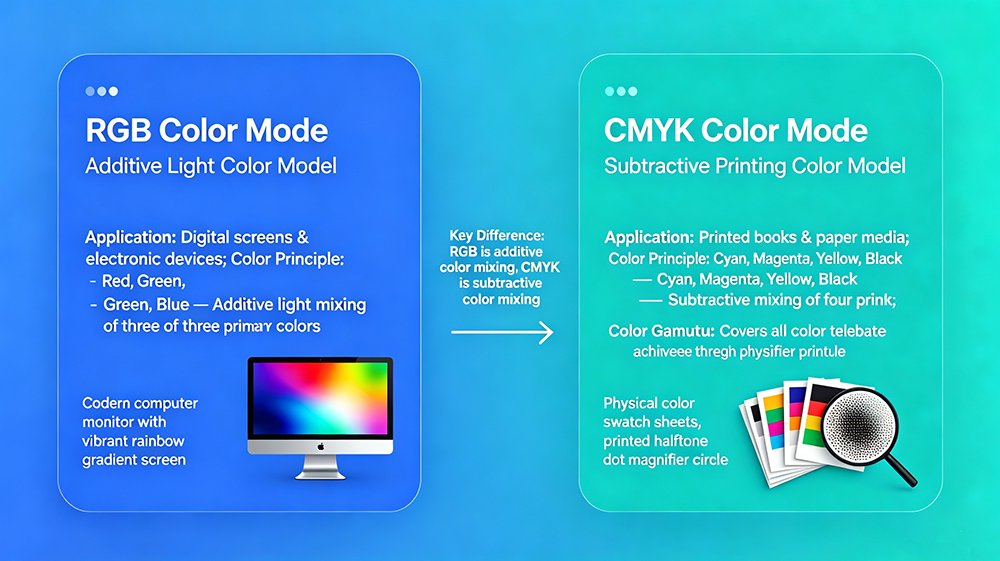
- Pro Tip: Always convert your images and files to CMYK mode before exporting your PDF. If color accuracy is critical (such as for children's picture books or photography collections), we recommend requesting a physical proof before proceeding with the full print run.
2. Neglecting "Bleed" and the "Safe Zone"
- The Mistake: Page numbers, headers, or key text get partially sliced off during the trimming process, resulting in an incomplete-looking book.
- The Solution: Commercial printing takes place on large sheets of paper that are subsequently cut down to the final size. Cutting blades have a tiny margin of error (approximately 1–2 mm).
- Pro Tip: Extend background images or blocks of color at least 3 mm beyond the final page dimensions (this is known as the "bleed"). Ensure all important text and elements are kept at least 5 mm away from the trim line (the "safe zone").
3. Choosing the wrong paper weight
- The Mistake: Assuming "thicker is better," you chose heavy 300gsm paper for a 400-page novel. The result? A book as heavy as a brick and shipping costs that blew your budget.
- The Solution: Paper weight (GSM) affects both the book's tactile feel and the thickness of the spine.
- Pro Tip: For novels, 80–100gsm uncoated paper (or cream-colored paper) is the industry standard—it’s lightweight, easy to read, and cost-effective. For art books, children's picture books, or photography collections, 128–157gsm coated paper (gloss or matte art paper) delivers vibrant colors and the necessary durability.
Not sure which specifications suit your book? Ask us for a free sample :)
4. Choosing the wrong binding method
- The Mistake: Your book starts losing pages after just a few reads simply because you opted for standard perfect binding instead of Smyth sewing.
- The Solution: There is no "one-size-fits-all" binding method; the choice depends on the specific book.
- Pro Tip: For booklets with fewer than 40 pages, saddle stitching is recommended. For standard paperbacks (40–300 pages), perfect binding is a solid choice. However, if the book exceeds 300 pages—or if you want it to lie completely flat when opened—you should upgrade to Smyth sewing (section sewing). Although the cost is slightly higher, the durability and superior reading experience pay off in the long run.
5. The font and layout
- The Mistake: You submit a beautiful PDF, but the printer reports missing fonts, causing your carefully designed layout to shift or the typography to become a jumbled mess.
- The Solution: The printer’s computers may not have the specific fonts you used installed.
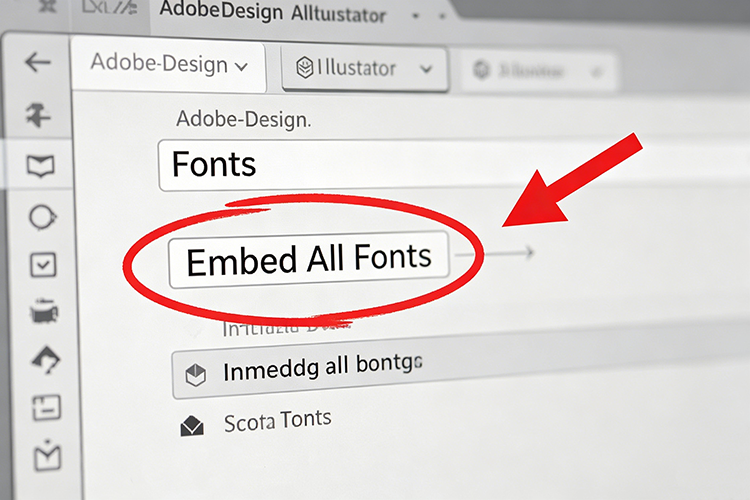
- Pro Tip: When exporting your final print-ready PDF, make sure to select the "Embed All Fonts" option. Alternatively, you can convert all text to outlines (or curves) within your design software. Before sending us your files, please open the PDF on another device to verify that everything displays perfectly.
For self-published books, cover finishing techniques are never merely decorative details; they are pivotal factors that determine sales performance. Skillfully combining key techniques—such as lamination, spot UV, foil stamping, and specialty paper—maximizes your design's impact, establishes a unique aesthetic, and effectively boosts both shelf appeal and conversion rates.
You have already tackled the arduous task of writing; let us handle the technical details. There is no need to blindly chase expensive, complex finishes. The real secret to creating a best-selling self-published book cost-effectively lies in selecting the right techniques based on the book's genre, market positioning, and sales context.
Before mass production begins, our prepress team reviews your files for free—checking bleeds, color pce with printing standards. We offer all self-published authors complimentary services, including custom finishing recommendations, file pre-checks, and proofing. We tailor a cover printing strategy that balances cost-effectiveness with high sales potential, perfectly aligned with your book's positioning.
Submit your cover design files now to receive a customized proposal and an accurate quote within two hours.